Inventory & Stock
Track opening stock, purchases, sales, current stock, minimum stock and low-stock alerts.

Inventory, purchases, sales, barcode scanning, physical stock audit, ledgers and reports.
Replace scattered stock sheets, sales records, purchase registers and separate ledgers with one connected workflow.
Track opening stock, purchases, sales, current stock, minimum stock and low-stock alerts.
Record supplier purchases and automatically maintain the linked Supplier Ledger.
Record customer sales while stock and Customer Ledger balances update automatically.
Track receipts, payments, outstanding balances and transaction history with safer linked editing.
Generate business reports, export supported reports to Excel, or print and save them as PDF.
Owner/Admin, Editor and Data Entry roles help control what each staff member can do.
From daily sales and stock monitoring to physical audits and professional reports — see how the system works in a real business workflow.
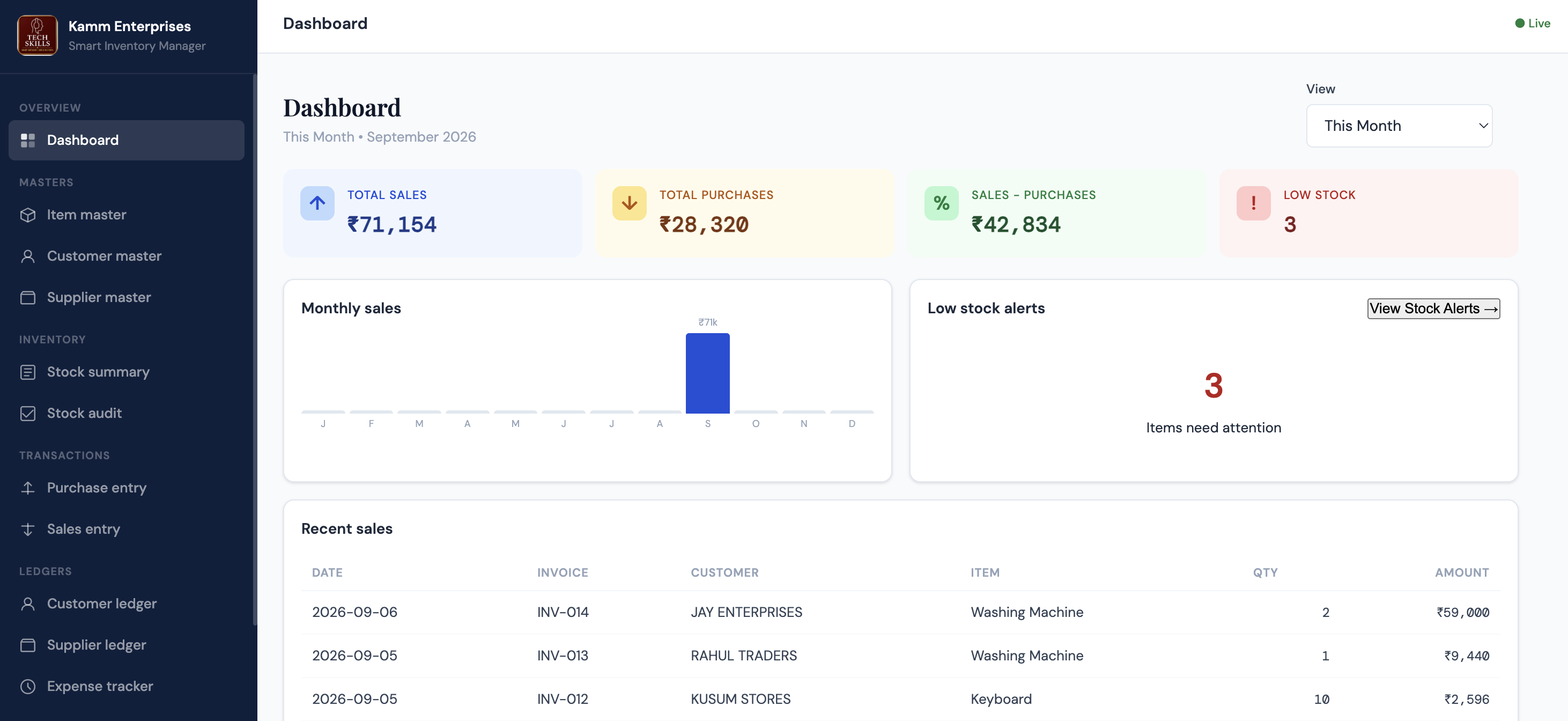
Monitor sales, purchases, sales minus purchases, stock alerts and recent activity with flexible date filters.
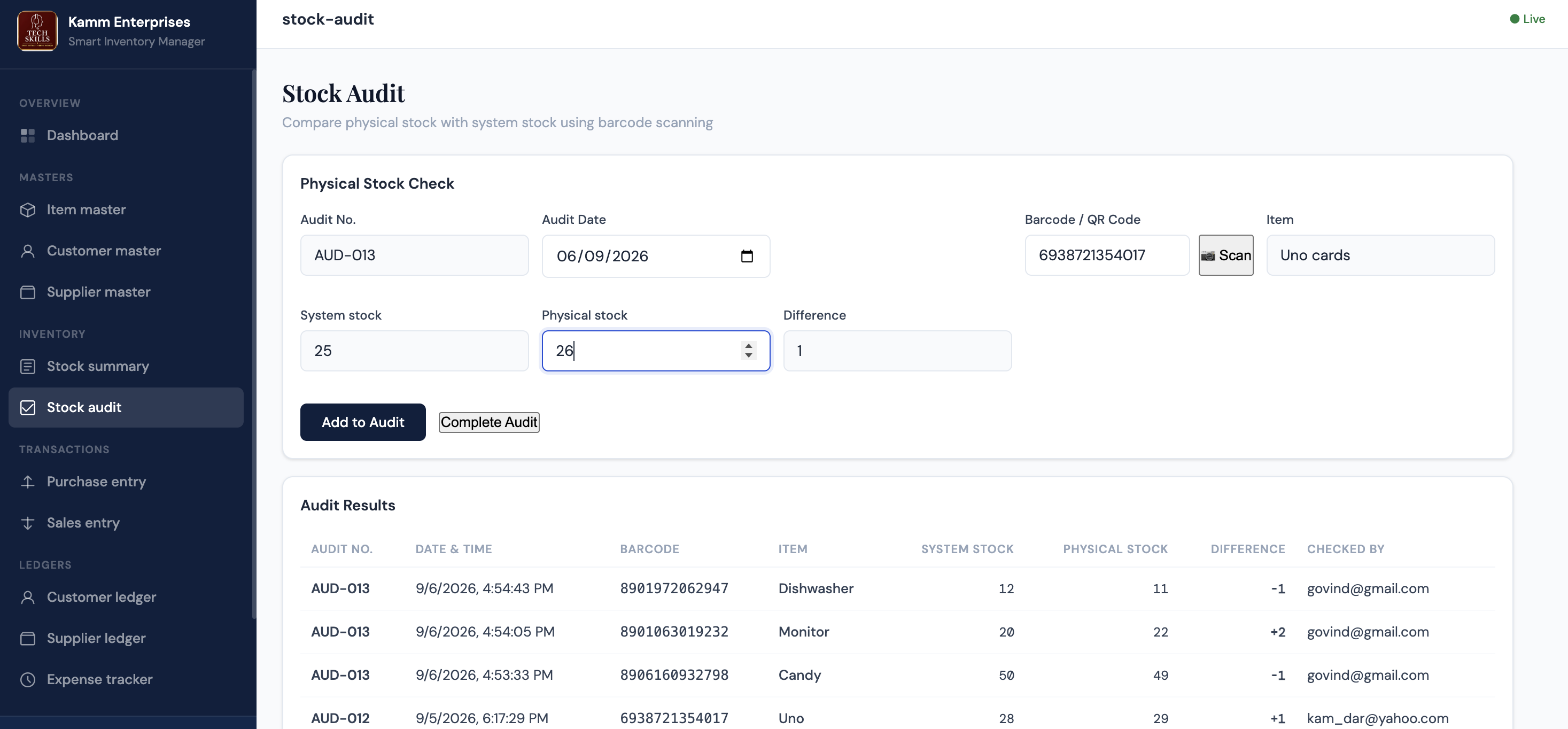
Scan barcodes, compare system and physical quantities, identify differences and control stock adjustments.
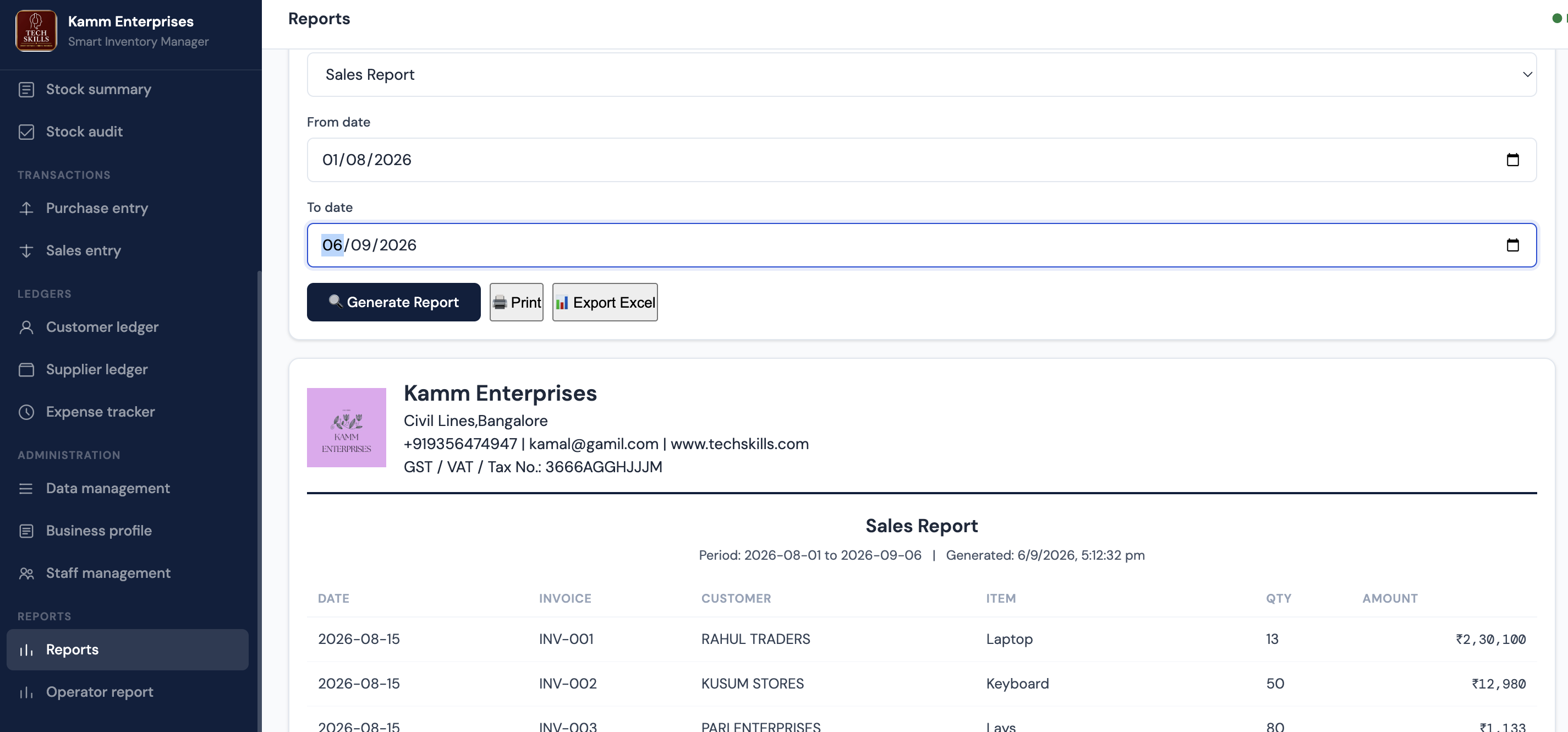
Generate date-wise business reports, print them, or export the data to Excel.
Scan an item, compare system stock with physical stock and immediately identify shortages or excess quantities.
Scan or enter the item's barcode.
System stock appears automatically.
Enter the physical quantity counted.
Difference is calculated instantly.
Owner/Admin reviews and approves any stock adjustment.
Physical stock checks can be performed operationally, but final stock corrections require Owner/Admin approval and are recorded permanently.
Each physical stock check is grouped under a unique Audit No. such as AUD-001, AUD-002 and more.
The same item cannot accidentally be counted twice in the same audit session.
See stock before, physical stock, adjustment quantity, date/time and who approved it.
Print or save completed Stock Audit reports as PDF, and export Stock Adjustment History to Excel.
| Role | Typical Access |
|---|---|
| Owner / Admin | Full control, staff administration, deletion, backup/restore and stock adjustment approval. |
| Editor | Operational entry and editing with permitted deletion, without Owner/Admin controls. |
| Data Entry | Day-to-day entry and editing without deletion or sensitive administrative approval. |
A practical inventory and sales management system for small businesses, retailers, wholesalers and distributors.
There is no monthly Smart Inventory Manager software subscription for this v1.0 licence. Third-party services such as Firebase may have their own usage limits and charges. Any applicable third-party charges are payable directly by the customer.
The Firebase project is set up under the business owner's own Google/Firebase account. The business owner retains control of the account and its business data.
Initial installation and setup assistance is included. Additional technical support, maintenance, customisation or new features can be provided separately and may be chargeable depending on the work required.
Yes. The system currently supports Owner/Admin, Editor and Data Entry roles.
Yes. Barcode scanning is supported for product identification and physical Stock Audit workflows.
The difference is shown in the Stock Audit report. Inventory changes only after Owner/Admin approval.
Supported reports can be exported to Excel and/or printed or saved as PDF.
The standard v1.0 product is included at the advertised price. Business-specific modifications are quoted separately.
Explore Smart Inventory Manager or Bookstore & Stationery Manager. See how purchases, sales, stock and ledgers work together for your business.